World War Sandbox Guides
From first join to eras, armies, powers, custom maps, and hosted wars — every how-to in one hub.
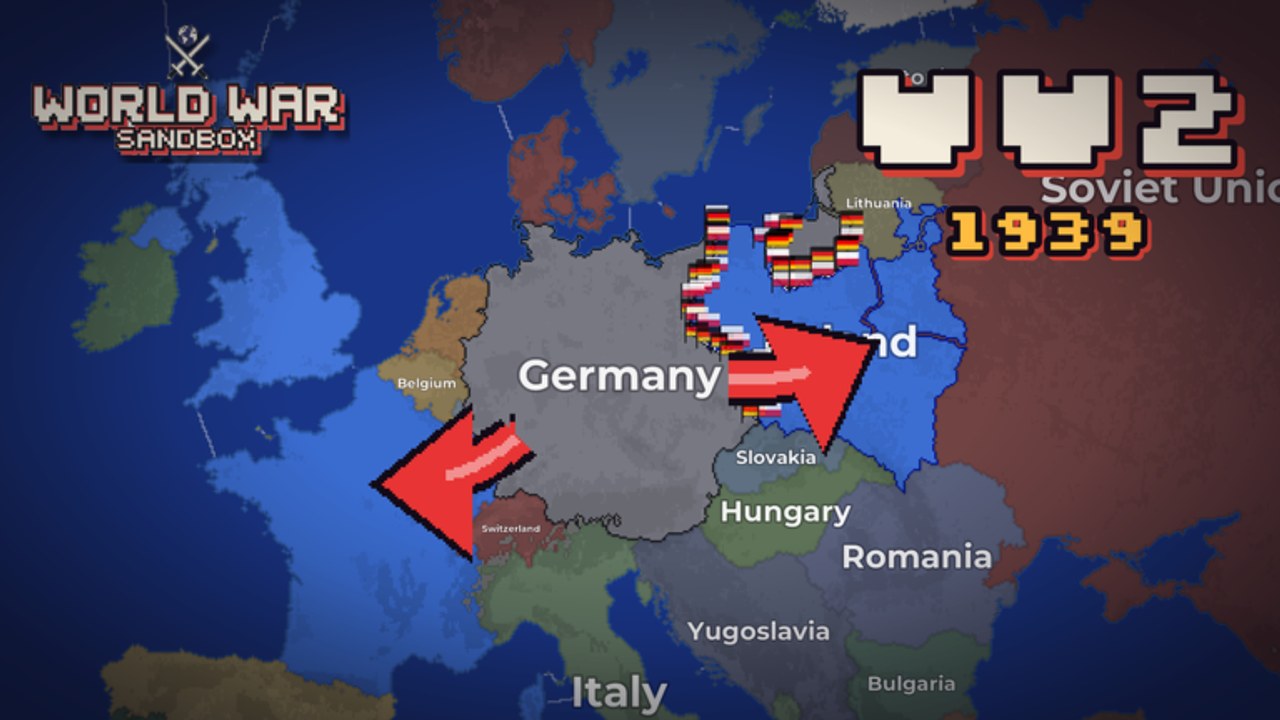
Welcome to the Guides Hub for World War Sandbox on Roblox. This free-to-play pixel-art strategy sandbox from Nwtaken X Gamboss lets you watch 200+ nations grow, ally, fight, and collapse — or take the wheel yourself. Start in eras from the Roman Empire through the Cold War, unleash god powers, command flag troops on the front lines, paint private maps, and host worlds so friends can spectate the chaos.
If you just installed the experience, begin with Getting Started. It covers joining the place, choosing an era, understanding the simulation loop, earning coins, and unlocking maps, powers, and Battlepass rewards without wasting your first hour.
Core guide map
Use this hub as your table of contents. Each page below is written for search intent (how to play, how to use powers, how to host) and cross-links to siblings so you can jump between topics without dead ends.
Onboarding and interface
- Getting Started — Day-one walkthrough: eras, nation steering, progression, and a short video of a live session.
- Controls — Camera, selection, god-power UI, flag-troop commands, and how the sandbox HUD is laid out on desktop and mobile.
Eras and armies
- Eras — Roman Empire through Cold War starts, how timeline choice changes wars, hosting rules, and unlock habits.
- Commanding Armies — Flag troops on living fronts, troop-first workflows, and combining armies with god powers.
Powers and creation
- God Powers — Nukes, meteors, floods, volcanoes, revolts, and more, including free abilities from the Abilities Update.
- Map Editor — Paint custom land and borders in the private Map Editor, then prepare maps you can actually host.
Multiplayer and sharing
- Hosting Worlds — Host for friends, share with the community, spectate wars, and run memorable sandbox sessions.
How the game loop works
World War Sandbox is inspired by Ages of Conflict-style nation sims. AI nations expand, form alliances, and collapse on their own. You can sit back as a spectator-god, intervene with powers, or directly command armies of flag troops along contested borders. Server size is 12 players, so hosted sessions stay readable instead of turning into a megaserver mess.
Progression is light but sticky: level up, earn coins, unlock new maps and powers, and chase Battlepass rewards. Creator group Nwtaken X Gamboss (owner nwtaken, group id 1004279525) ships updates that add eras, abilities, and quality-of-life tools — check Updates when something new drops, and skim Codes if promo rewards are live. The experience has climbed past roughly 1.1M visits with 30k+ favorites while staying in active live ops.
Recommended reading order
- Finish Getting Started so you know what you are looking at on the map.
- Skim Controls until selecting nations and aiming powers feels natural.
- Pick a timeline with Eras, then practice Commanding Armies on one front.
- Read God Powers before you accidentally flood your own capital.
- Experiment in the Map Editor when you want a custom theater of war.
- Use Hosting Worlds when friends want to watch (or sabotage) your sandbox.
Veterans who already know the basics can jump straight to eras, armies, powers, editor tips, or hosting. Casual spectators still benefit from the controls page — camera and selection habits save a lot of misclicks during tense border wars.
Related wiki sections
Guides are the how-to layer. For reward lists and meta, also visit Codes, Tier List, Players, Scripts, and the general Wiki overview. Keep facts aligned across pages: the experience released 2026-10-26, remains free-to-play, and focuses on simulation sandbox play rather than a single competitive ladder.
Bookmark this Guides Hub and return after major patches. When Nwtaken X Gamboss ships new free powers, eras, or editor tools, the deep-dive pages here are the first place we expand with practical steps, FAQs, and internal links so you never hunt through chat for the same answer twice.
Frequently Asked Questions
Quick answers about powers, hosting, codes, and progression.
Where should a new World War Sandbox player start?
Open Getting Started first, then Controls. After you can select nations and aim the camera, move on to God Powers before hosting friends.
Do these guides cover Roblox mobile and desktop?
Yes. Controls calls out camera, selection, and power UI habits that matter on both. Exact button prompts can vary by device, so practice in a private world.
Is World War Sandbox free to play?
Yes. It is free-to-play on Roblox. Coins, levels, maps, powers, and Battlepass unlocks deepen the sandbox, but you can watch wars and experiment without paying.
How often are guide pages updated?
We refresh after meaningful patches such as new god powers or editor changes. Cross-check Updates and the official Roblox place description when something feels outdated.